

Installing local LLMs on Raspberry Pi CM5: Performance benchmarks and the Gemma3 surprise
At blackdevice, we constantly push small hardware platforms to see how far they can really go. The promise of running Large Language Models (LLMs) locally is tempting—total privacy, offline capabilities, and no API costs. But how does that promise translate into real-world responsiveness on constrained edge devices?
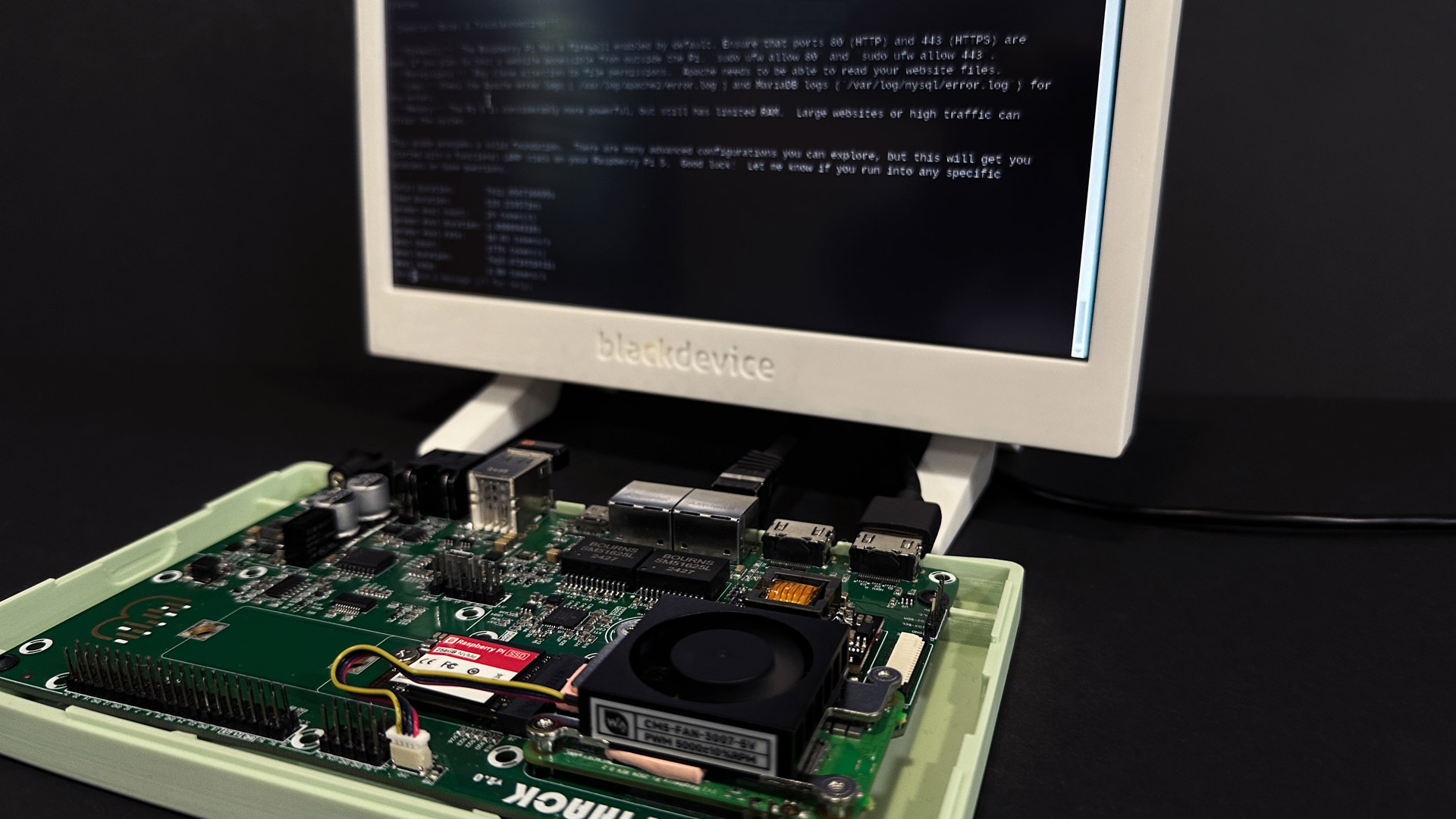
To find out, we paired our custom Pi Hack carrier board with a Raspberry Pi Compute Module 5 (CM5) (8GB RAM, 256GB NVMe SSD). We installed Ollama and benchmarked lightweight models including Deepseek R1, Gemma3, and Phi-4 mini.
Spoiler alert: While some models quickly proved impractical, one specific model delivered a level of speed and efficiency that genuinely surprised us. In this article, we’ll walk you through the setup, the raw stats, and our model-by-model conclusions.
Why use an 8GB CM5 and an NVMe drive for this test? When running LLMs on a CPU without a dedicated neural engine, the entire model must be loaded into system RAM. A 4B parameter model takes about 2.5GB of RAM just to sit idle. Furthermore, loading a 3GB model file from a standard MicroSD card takes minutes, whereas our PCIe NVMe setup loads it into memory in under 600 milliseconds. Storage I/O speed is critical for local AI UX.
What is Ollama and why we use it
Ollama is a command-line–driven local LLM runner. Instead of relying on cloud APIs or complex Python environments, you download models directly to the machine and interact with them through the terminal or local API endpoints. For our workflow, this has two major advantages:
- Everything stays local and offline, perfect for industrial deployments.
- The entire installation, memory loading, and inference process is transparent and measurable.
Given the experimental nature of our Pi Hack board, Ollama is a perfect match for quick, repeatable benchmarking.
Hardware and initial setup
The testing rig
- Pi Hack carrier board: Custom designed for the Compute Module 5.
- Compute Module 5 (CM5): 8 GB RAM version.
- Storage: 256 GB NVMe SSD connected via native PCIe M.2.
- Network and power: Standard PoE (Power over Ethernet) for a clean, single-cable setup.
Preparing the OS and installing Ollama
First, we flashed the 64-bit Raspberry Pi OS directly onto the NVMe SSD. Once booted and connected via SSH, we updated the system and installed the necessary tools:
sudo apt update && sudo apt upgrade -y
sudo apt install -y curl wget jq git ca-certificates
Installing Ollama on the Raspberry Pi architecture is now a one-line command:
curl -fsSL https://ollama.com/install.sh | sh
We confirmed the service was running smoothly with systemctl status ollama before proceeding to the tests.
The benchmark: Experiment design and prompts
To compare models fairly, we defined a repeatable testing procedure. Each model received the exact same prompts and was executed with the --verbose flag so we could collect raw token-per-second statistics.
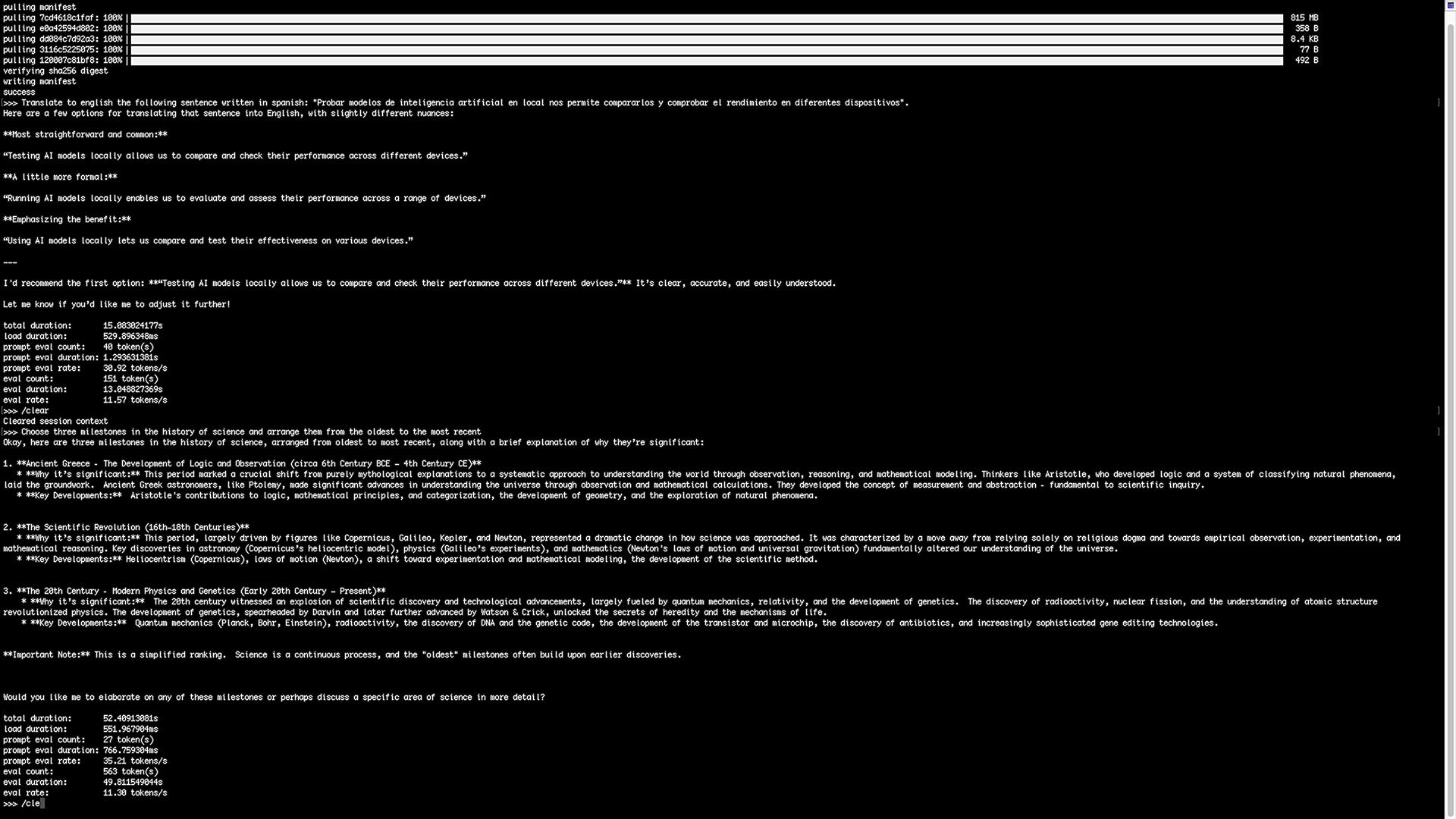
- Prompt 1 (Translation): Translate to english the following sentence written in spanish: Probar modelos de inteligencia artificial en local nos permite compararlos y comprobar el rendimiento en diferentes dispositivos.
- Prompt 2 (Logic and ordering): Choose three historical milestones in the history of science and arrange them from the oldest to the most recent.
These two tasks reveal essential differences in basic language understanding, logical structuring, and inference speed under identical hardware constraints.
Models tested on the CM5
We evaluated a range of sub-8B parameter models:
- TinyLlama 1.1B
- Deepseek R1 (1.5B, 7B, and 8B)
- Gemma3 (270M, 1B, and 4B)
- Phi-4 mini reasoning (3.8B)
Results: Which AI model is best for Raspberry Pi?
After hours of testing, a clear winner emerged. Here is the summary matrix of our findings:
| Model (size) | Prompt 1 total time | Prompt 2 total time | Quality and engineer summary | Suitable on CM5? |
|---|---|---|---|---|
| Gemma3 (1B) | 15.08 s | 52.41 s | WINNER. Very good quality, returns multiple options. The perfect balance of speed and logic. | Yes (Highly recommended) |
| Gemma3 (270M) | 1.42 s | 12.21 s | Blazing fast, literal but correct. Great for simple tasks. | Yes (Excellent for speed) |
| Gemma3 (4B) | 70.16 s | 173.72 s | Good quality but noticeably slower than 1B. | Maybe (if latency is acceptable) |
| TinyLlama (1.1B) | 5.29 s | 15.12 s | Fast, but highly unreliable and imprecise. | No |
| Deepseek R1 (1.5B) | 25.00 s | 58.65 s | Fast but poor quality (misunderstood context). | No |
| Deepseek R1 (7B) | 129.48 s | 667.09 s | Very slow, poor time-to-quality tradeoff. | No |
| Deepseek R1 (8B) | 155.04 s | 402.29 s | Slow. Better quality, but unusable for real-time apps. | No (Too slow) |
| Phi-4 mini (3.8B) | 152.61 s | 638.03 s | Gets stuck in reasoning loops. Impractical time cost. | No |
Deep dive into the models
The Gemma3 Series: The undisputed champions
Google’s Gemma3 architecture absolutely shines on ARM processors. The 270M version evaluated prompts at an astonishing 269 tokens/s, finishing tasks in under 2 seconds. However, the Gemma3 1B is the sweet spot. With a load duration of just 529ms (thanks to the NVMe), it delivered rich, accurate translations and historically correct milestones in a very acceptable timeframe (around 11 tokens/s for generation).
The 4B version is solid, but for simple edge tasks, it consumes more RAM and time than necessary.
The Deepseek R1 Series: Too heavy or too confused
Despite the hype around Deepseek models, they struggled on the CM5 CPU. The lightweight 1.5B model completely misunderstood the translation context. The larger 7B and 8B models provided better answers but suffered from massive latency, taking up to 11 minutes (2.23 tokens/s) to complete the logic prompt.
TinyLlama and Phi-4 mini
TinyLlama was fast (17 tokens/s) but failed the translation test and provided inaccurate history data. Microsoft’s Phi-4 mini (3.8B) attempted deep reasoning but got trapped in endless loops, taking over 10 minutes for a simple task.
Running a 1B parameter model on a single CM5 node is impressive. But what if you want to run larger 8B reasoning models locally with acceptable speeds? That requires distributed computing.
We are building Hive, a modular compute system built around the Raspberry Pi CM5. Hive allows you to stack compute modules effortlessly, paving the way for distributed local AI processing without the mess of individual power supplies and cables. → Join the Hive early bird list on Kickstarter!
Conclusion
Evaluating lightweight language models on hardware that was never intended for AI workloads yields fascinating results. While all models technically executed, Gemma3 (specifically the 1B variant) delivered a level of speed and efficiency that makes local AI on a Raspberry Pi not just a gimmick, but a genuinely useful tool for edge computing.
This benchmark serves as an important baseline for our future hardware designs. By running these standardized tests, we can objectively measure how different hardware architectures handle modern AI workloads under identical conditions.
Thanks for reading! If you want to follow our hardware benchmarks and engineering projects, visit our blog, subscribe to our mailing list, and check out our deep dives on our YouTube channel.